Independent SharePoint & Microsoft 365 consultant
Your SharePoint intranet in weeks, not months
What a big consultancy drags out for months, I have up and running in a few weeks: intranet, document migration and AI on the Microsoft 365 you already pay for. No committees, no middlemen, progress every week and a fixed price, in English or Spanish.
Free, no strings attached. I’ll tell you on the call whether SharePoint makes sense for you.
C:\Users\John\Desktop\misc stuff
misc stuffExample Construction › Projects ›Documents
Does any of this sound familiar?
- You search your inbox for a file because you can’t remember which folder it’s in.
- There are three versions of the same document and nobody knows which one is right.
- Someone left the company and their files left with their laptop.
- You’re not sure who can see payroll or contracts.
- Every new hire spends weeks figuring out where things live.
Why it takes weeks, not months
A big consultancy needs months for what a small business needs now: kick-off meetings, steering committees, analysis documents and several teams passing the project along. With me there are no layers: we decide together, I build, and you see progress every week.
Big consultancy4–5 months
- Pre-sales and meetings3 weeks
- Analysis and functional spec4 weeks
- Approvals2 weeks
- Development6 weeks
- Testing and training3 weeks
With me3–4 weeks
- Call and proposalhalf a week
- Build with weekly reviews2 weeks
- Migration and training1 week
| Topic | Big consultancy | Working with me |
|---|---|---|
| Getting started | Weeks of pre-sales meetings before anything happens | I start the week after our call |
| Decisions | They go through committees and several managers | You and I make them, on the same call |
| Progress | Deliverables at the end of each phase, sometimes months later | You see the intranet working from week one |
| Changes | A formal request, a new quote and a queue | Send me a message and we’ll look at it that week |
| Who you talk to | A salesperson, then a project manager, then another team | Me, from the first call to ongoing support |
| Tools | Whatever the team has known for years | Copilot, Copilot Studio and Power Platform, up to date with every release |
| Price | Hours of meetings and consulting you end up paying for | A fixed price in writing before we start |
You’re already paying for SharePoint
If your company uses Microsoft 365 Business (Basic, Standard or Premium), SharePoint is already part of your plan. Most small businesses never use it because nobody set it up for them. That’s what I do: I organise it around the way your team actually works and hand it over ready to use.
- Outlook and ExchangeIn use
- TeamsIn use
- Word, Excel and PowerPointIn use
- OneDriveIn use
- SharePointIncluded, not set up
What I do, at a fixed price
- Timeline: 2–3 weeks
SharePoint intranet
Teams that need one shared starting point
Home page with news and announcements, team directory, shortcuts to everyday tools, all in your company’s look and feel
Price: Fixed price after our call
- Timeline: 1–4 weeks, depending on volume
Migration to SharePoint
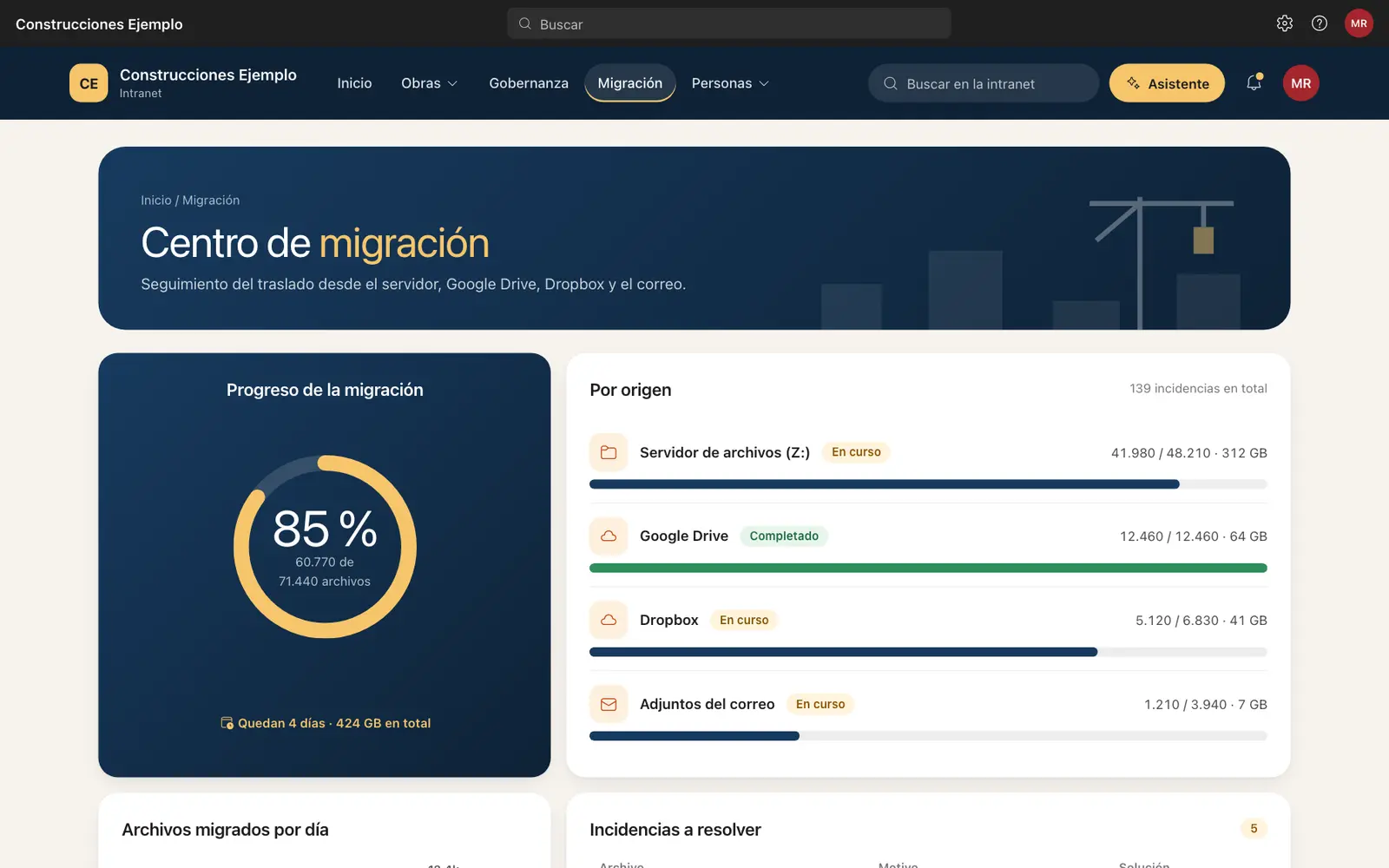
Anyone with documents on a server, Google Drive, Dropbox or another document system
Inventory and clean-up, folder-to-library map, permissions and metadata, pilot, weekend migration and final check
Price: Fixed price after our call
- Timeline: 3–4 weeks
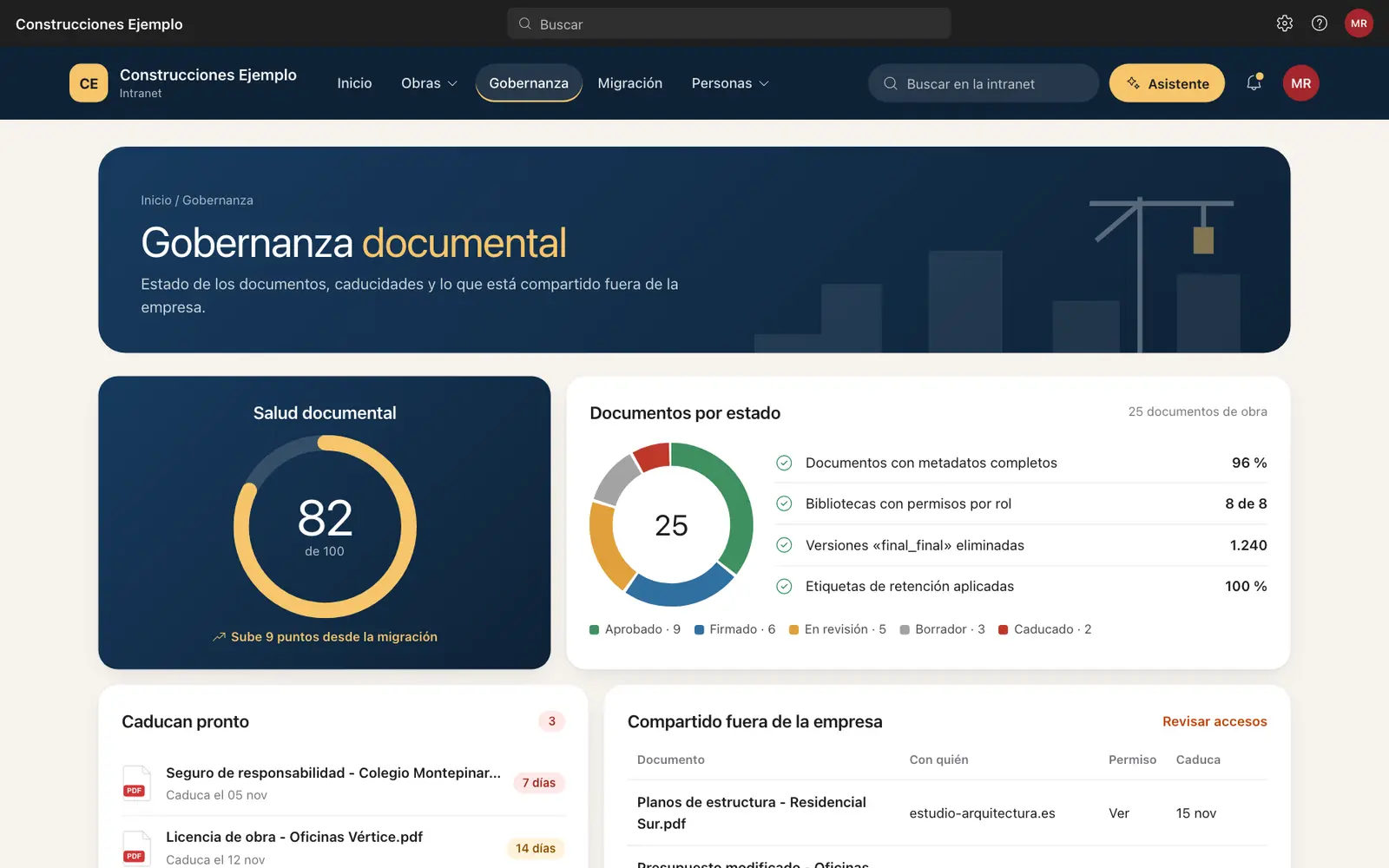
Document governance
Companies with files scattered, duplicated or open to everyone
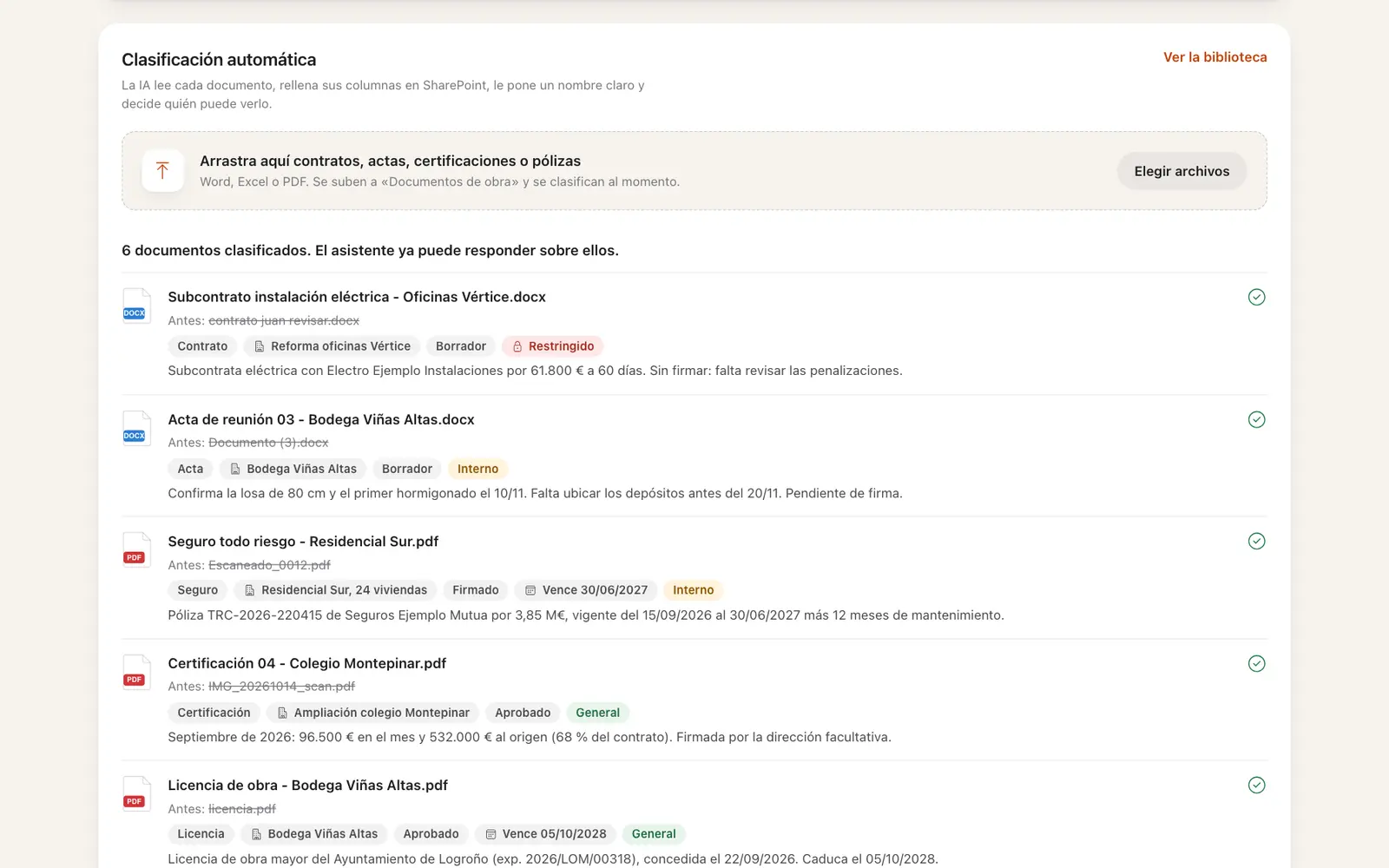
Libraries by department or client, role-based permissions, version history, columns that make things easy to find, templates and retention rules
Price: Fixed price after our call
- Timeline: Depends on scope
AI on your SharePoint
Anyone who already has SharePoint and wants more out of it
Copilot with safe permissions, Copilot Studio agents that answer from your own documents, Power Apps and Power Automate workflows
Price: Fixed price after our call
- Timeline: Monthly feeRecurring
Monthly management
Anyone who’d rather not think about maintenance
Adding and removing users, permissions, small changes and improvements, a quarterly governance review and email support
Price: Fixed price after our call
Everything includes hands-on training for your team, in English or Spanish, and documentation of how it’s all set up.
I’ll move your documents over from wherever they live today
Switching systems is daunting: thousands of files, permissions nobody remembers and the fear of losing something. That’s why it’s the part I take most care over. I use Microsoft’s official migration tools where they exist and custom exports where they don’t, and your current system keeps working until the very last day.
Folders on a server or NAS
The good old network drive (the “Z:”), a Windows Server, Synology or QNAP
This is the most common starting point for a small business. Each folder becomes a SharePoint library, creation and modified dates are kept, and Windows permissions turn into SharePoint groups that actually make sense.
Watch out for: paths that are too long, names with unsupported characters and things that shouldn’t be there, like backups or email .pst files.
Google Drive
Google Workspace: My Drive and shared drives
Shared drives become SharePoint sites and each person’s drive becomes their OneDrive. Google Docs, Sheets and Slides are converted to Word, Excel and PowerPoint, and who each file was shared with is kept.
Watch out for: Google-only features that change on conversion, such as some Sheets formulas, and old links in emails that no longer lead to the file.
Dropbox, Box and Egnyte
Team folders and individual accounts
Microsoft has an official tool for all three. Team folders become SharePoint sites and each person’s folders go to their OneDrive, permissions included.
Watch out for: files over 250 GB, folders shared with outsiders and platform-specific documents, such as Box Notes or Dropbox Paper, that need converting.
Self-hosted SharePoint
SharePoint Server 2010, 2013, 2016 or 2019
I move sites, lists and libraries to SharePoint in Microsoft 365, turn classic pages into modern ones and rebuild old workflows in Power Automate.
Watch out for: custom code, SharePoint Designer workflows and heavily customised classic pages: they aren’t copied as-is, they’re rebuilt.
Another document management system
DocuWare, M-Files, OpenKM, Alfresco, Athento…
There’s no official tool to move these to Microsoft 365, so I export the documents with their metadata (client, type, dates, status) and load it into SharePoint columns. People keep searching the way they always have.
Watch out for: approval workflows and templates from the old system, which get rebuilt in Power Automate, and version history, which can only be kept if the source lets you export it.
Everyone’s computers and email
Desktops, “My Documents”, USB drives and attachments
I move each computer’s Desktop and Documents to OneDrive without anyone changing how they work, and rescue the company documents that only exist as email attachments.
Watch out for: making sure company files end up in the company library, not in the OneDrive of someone who’ll leave one day.
How I do it
- Inventory. What’s there, how big it is, what’s duplicated and what nobody has opened in years.
- Map. Which folder goes to which library, what details each document gets and who can see it.
- Pilot. One department first, so anything that needs fixing is fixed before the rest moves.
- Migration. Usually over a weekend. A second pass copies whatever changed at the last minute.
- Check and train. I make sure nothing is missing and show the team where everything lives now.
What I check before moving anything
- Files over 250 GB, the most SharePoint accepts
- Paths longer than 400 characters
- Names with unsupported characters, such as " * : < > ? |
- Broken permissions, or ones belonging to people who have left
- Duplicates and “final_FINAL” versions that don’t need moving
Migration copies, it doesn’t move: your current system stays untouched, in read-only mode, until you confirm everything is right.
Your SharePoint, improved with AI
Copilot answers with whatever it finds in your documents, and it follows their permissions: if things are a mess, it inherits the mess. That’s why I get things in order first and add AI second. I use the tools Microsoft releases every month in my daily work, so your company gets the benefit from day one.
- Copilot
- I prepare SharePoint so Copilot finds the right version of every document and never shows what it shouldn’t.
- Copilot Studio
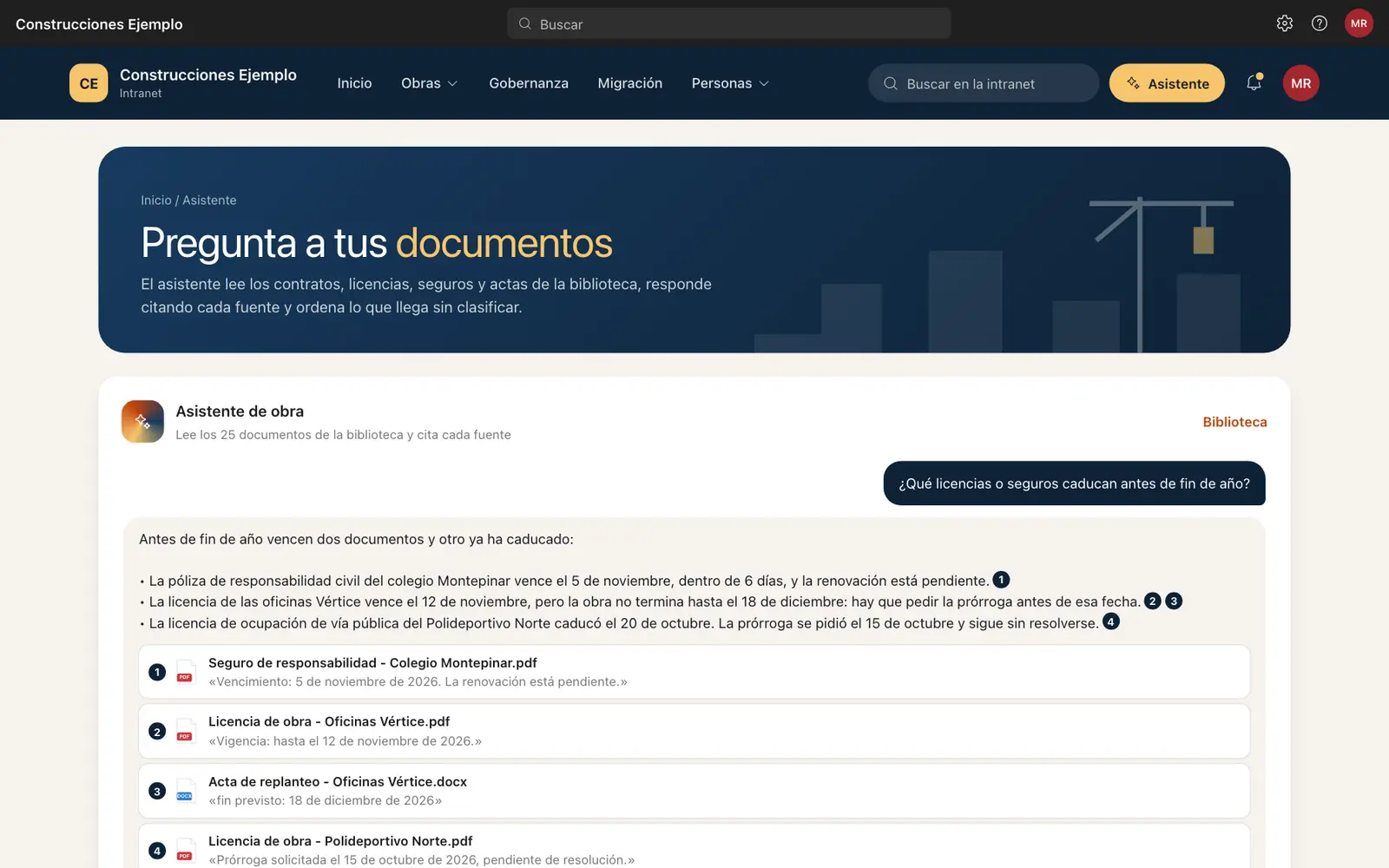
- Agents that answer your team using your own documents: “what’s our sick leave policy?” or “what’s the deadline on the Almar project?”
- Power Apps
- Small custom apps, like site reports, holiday requests or new client forms, with the data stored in SharePoint.
- Power Automate
- Automatic approvals and alerts: a quote goes to review, someone approves it and the team knows, without a single email.
How I work, week by week
Day 1
Discovery. A 30-minute call to understand how your team works today.
Within 48 hours
Proposal. You get the scope, timeline and a fixed price in writing.
Weeks 1–3
Build. I set up SharePoint around the way you work, and every week you review what’s done before we move on.
Final week
Migration & training. I move your documents across and train your team using your own files.
The month after
Support. One month of support is included, with optional management and AI improvements afterwards.
Here’s what yours could look like
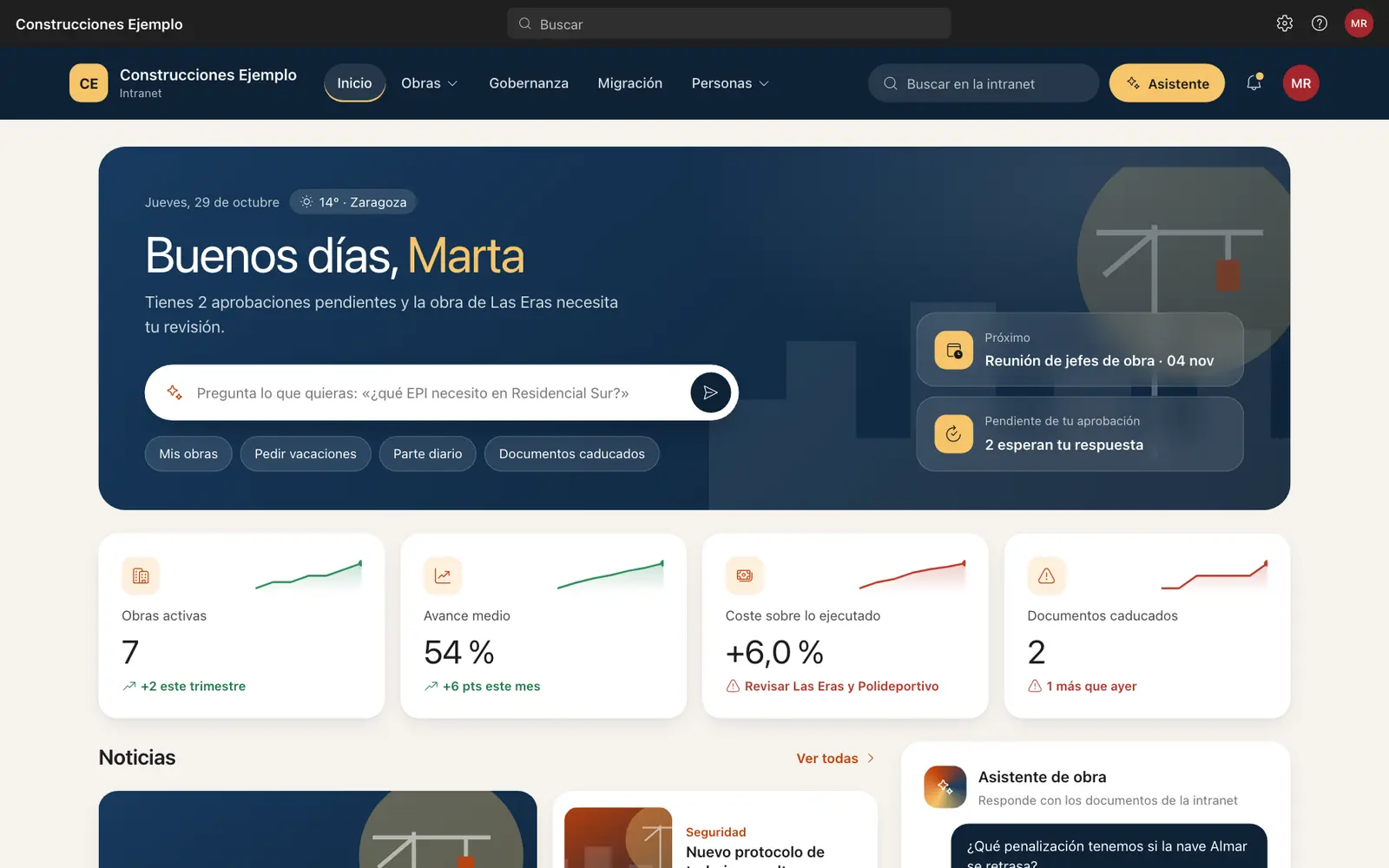
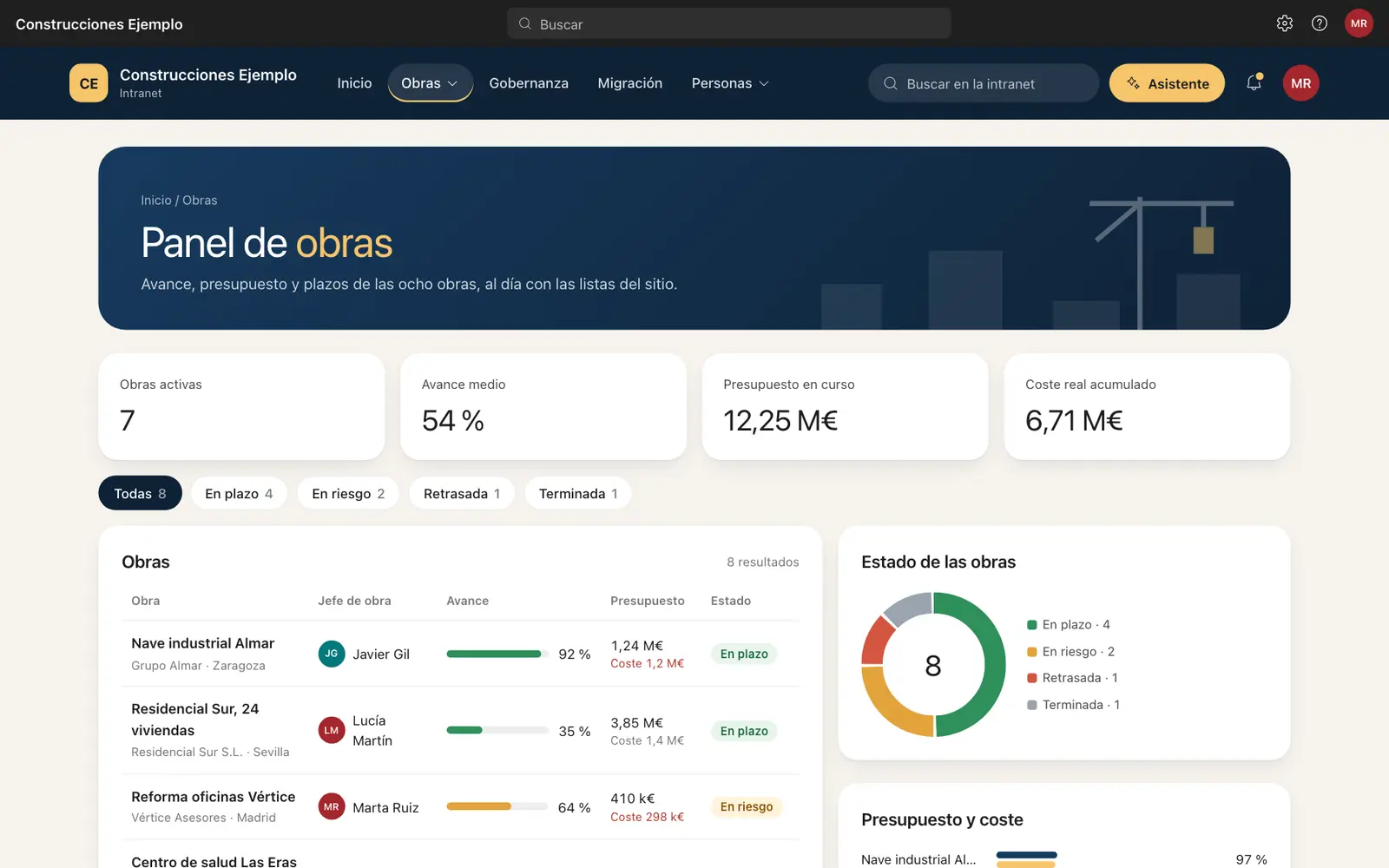
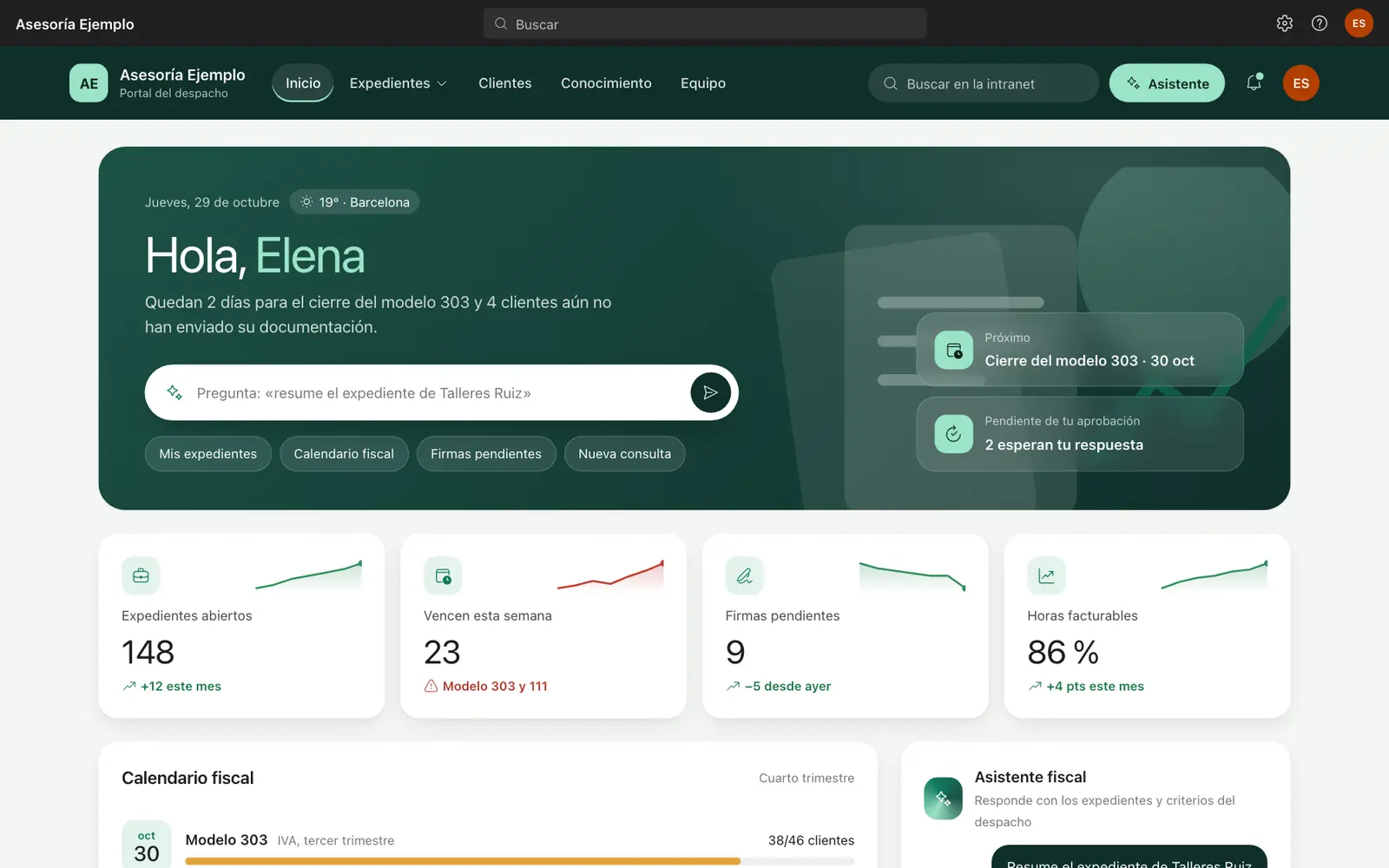
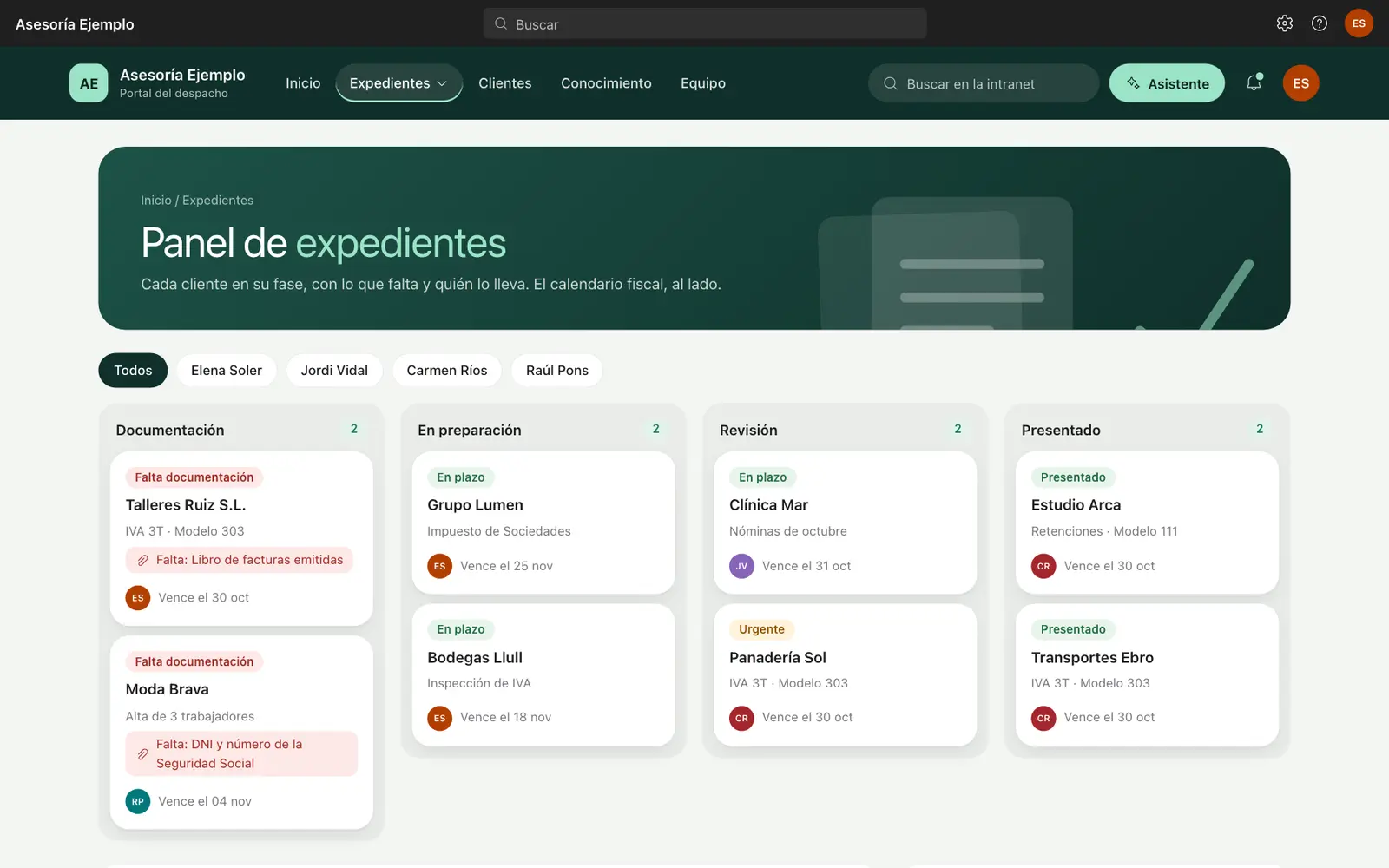
Three intranets built in SharePoint Online for three kinds of business: a construction firm, an accounting practice and a group of clinics. Custom header, menus, dashboards and assistant, on the Microsoft 365 you already have.
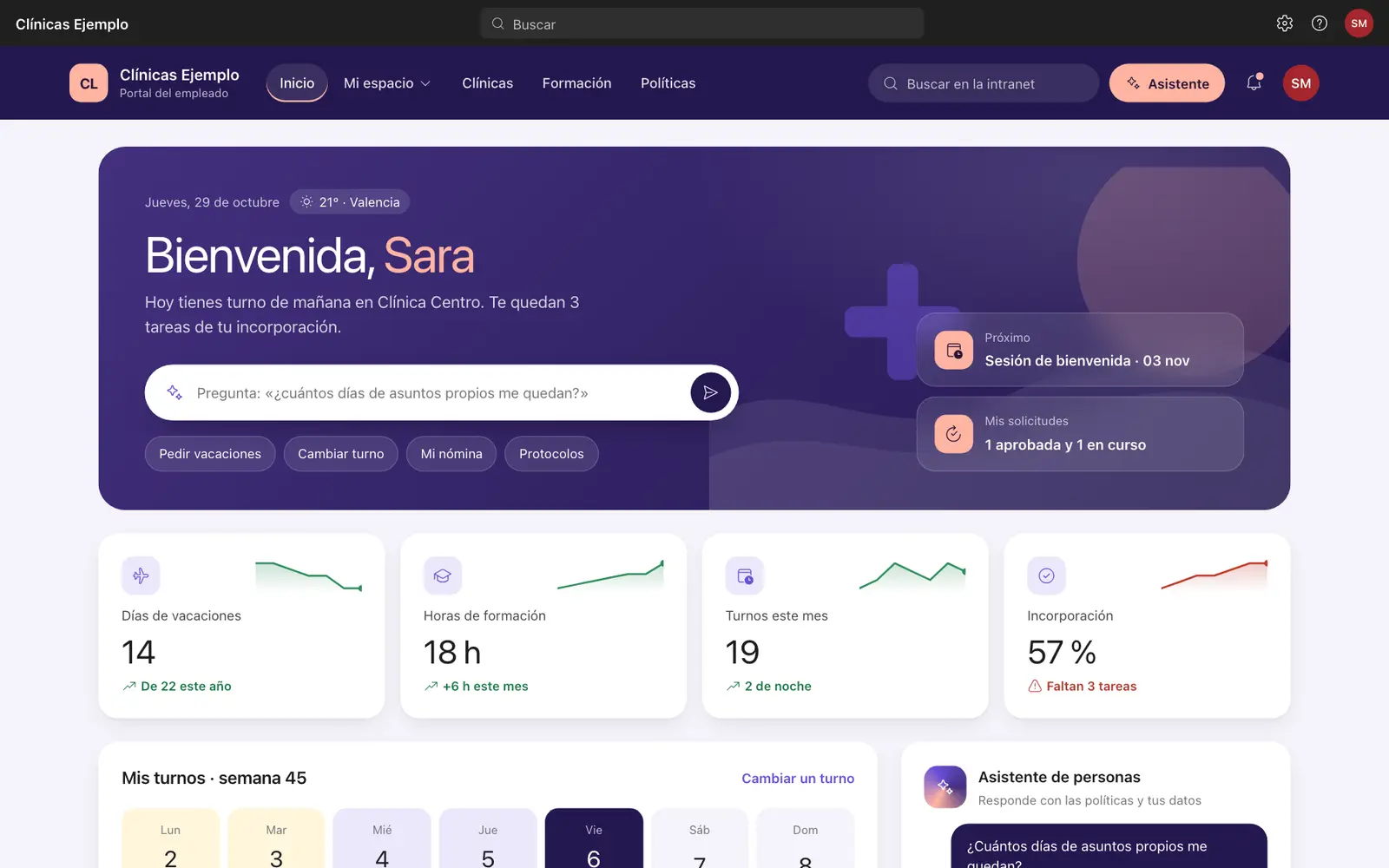
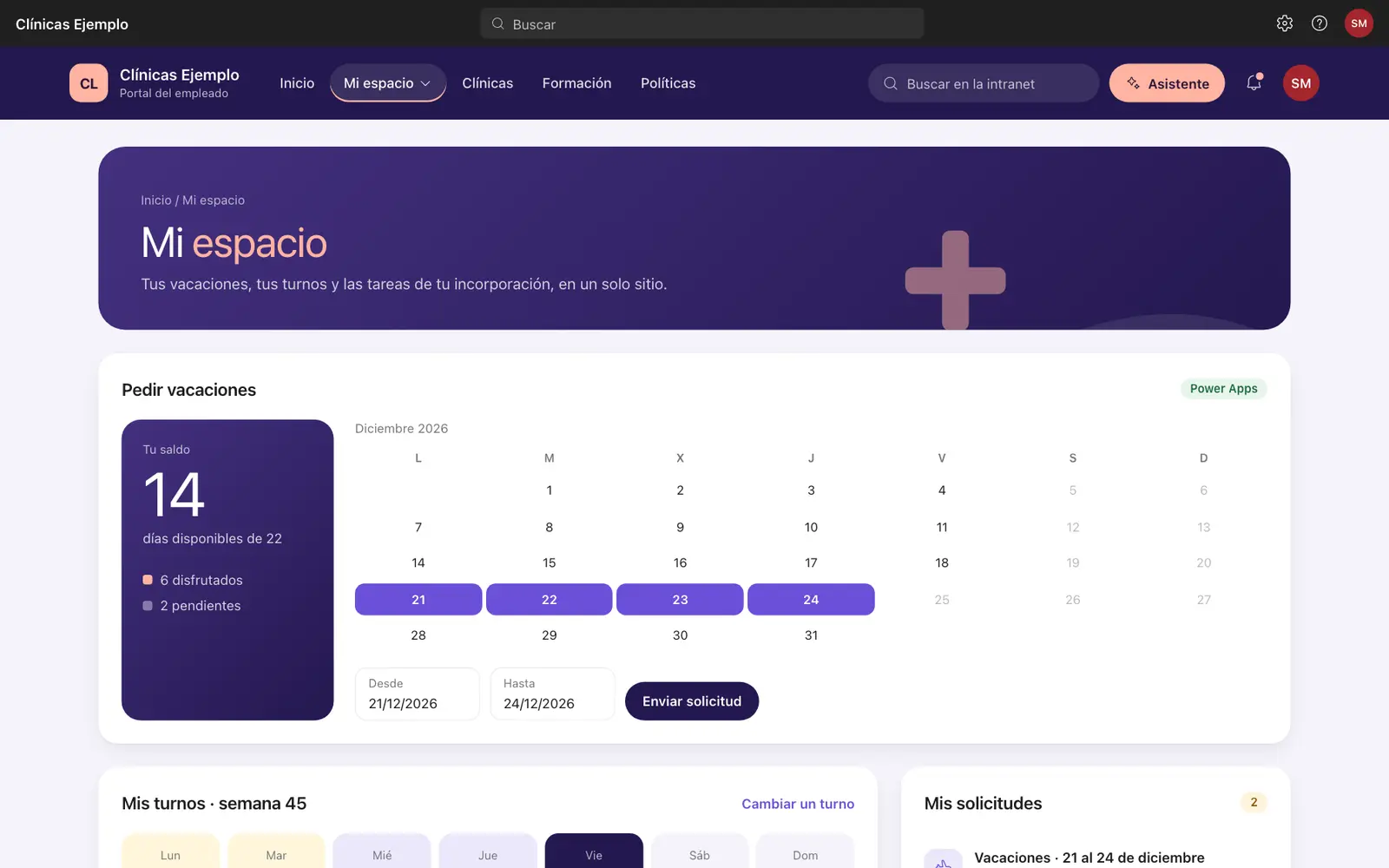
Built for businesses like yours
- Accounting firms
- One folder per client, with permissions, templates and version history for every filing.
- Law firms
- Organised case files, access restricted by matter, and search by client or date.
- Clinics
- Protocols and internal documents always on their latest version, kept apart from patient data.
- Construction
- Site documents, drawings and certificates you can open from your phone.
- Real estate
- Property sheets, contracts and every deal’s paperwork in one place.
Who’s behind this
Adrián Calleja PolancoSharePoint & Microsoft 365 consultant
Certifications: Azure Fundamentals (AZ-900) · Azure AI Fundamentals (AI-900)
I’m Adrián Calleja Polanco. I specialise in SharePoint and Microsoft’s AI tools, and I help small businesses get the most out of them without hiring a big consultancy. I try every new Copilot and Power Platform feature as soon as it ships, so you don’t have to. You’ll work with me directly, from start to finish, in English or Spanish, which is why projects take weeks rather than months.
Frequently asked questions
How can you do it in weeks when a consultancy takes months?
Because there are no layers: no steering committees, no hand-offs between teams, no weeks of documents before work starts. We decide together on the same call and you see progress every week. I also use what Microsoft 365 already includes instead of building custom code, and I start from structures I’ve already proven and adapt them to your business. Fast doesn’t mean rushed: nothing moves forward until you’ve reviewed it.
Do we have to stop working while we migrate?
No. You keep working as usual until switch-over day: the main copy happens beforehand, and a second pass, usually over a weekend, picks up the latest changes. On Monday the whole team opens SharePoint, and the old system stays read-only in case you need to look something up.
Do I need to buy new licences?
For SharePoint, usually not: if you already have Microsoft 365 Business, it’s included. Copilot does need its own licence, and I’ll tell you whether it’s worth it before you buy one.
What is document governance?
The rules that decide where each document lives, who can see it, what it’s called and how long it’s kept. Done well, you don’t notice it: everything is where you expect and nobody sees what they shouldn’t.
What can I do with Copilot Studio or Power Apps?
Anything from an agent that answers your team using your own policies to an app for site reports or an approval flow for quotes. On the call we’ll work out what saves you the most time.
We use Google Workspace. Can you help?
I can migrate your documents from Google Drive, but you’d need to move to Microsoft 365. We can weigh that up together on the call.
Is it secure? Is it GDPR compliant?
Your data stays in your own Microsoft 365 tenant, with EU data centres available. I set up permissions so everyone only sees what they should.
How long does it take?
Between 2 and 6 weeks, depending on the package and how many documents you have.
What if I need changes later?
The first month of support is included. After that you can sign up for monthly management or ask me for one-off changes.
Do you work with companies outside Spain?
Yes. I work remotely, in English or Spanish, and I’m used to bilingual teams.
Shall we start this week?
Or send me a message
Email me at adrian190401@gmail.com and I’ll reply within one working day.